.svg "Group 139 (1)")


If you're migrating a website or cleaning up old URLs, creating redirects one at a time quickly becomes tedious. Fortunately, HubSpot lets you import redirects in bulk using a CSV file, making the process much faster for large websites.
Step 1: Prepare your redirect file
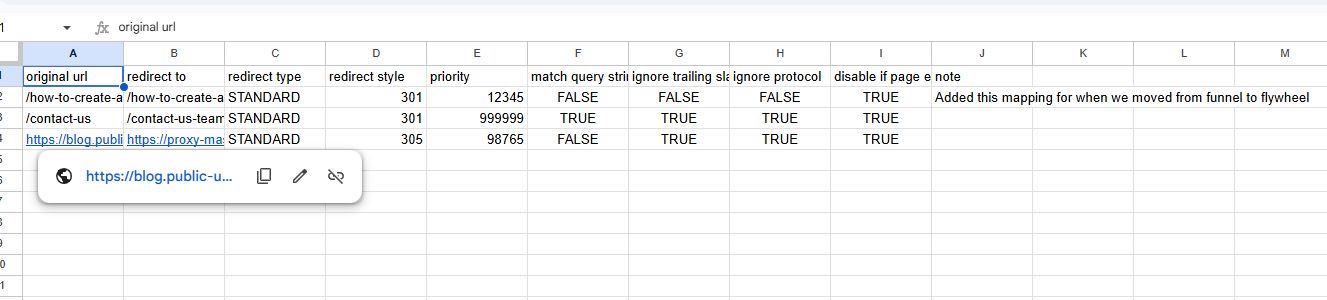
Before importing anything, create a CSV file containing your redirects.
HubSpot provides a downloadable template that includes the required columns. At a minimum, you'll need the original URL and the destination URL for each redirect. You can also include additional fields such as redirect type and notes if needed.
Step 2: Open the URL Redirects tool
In HubSpot, navigate to:
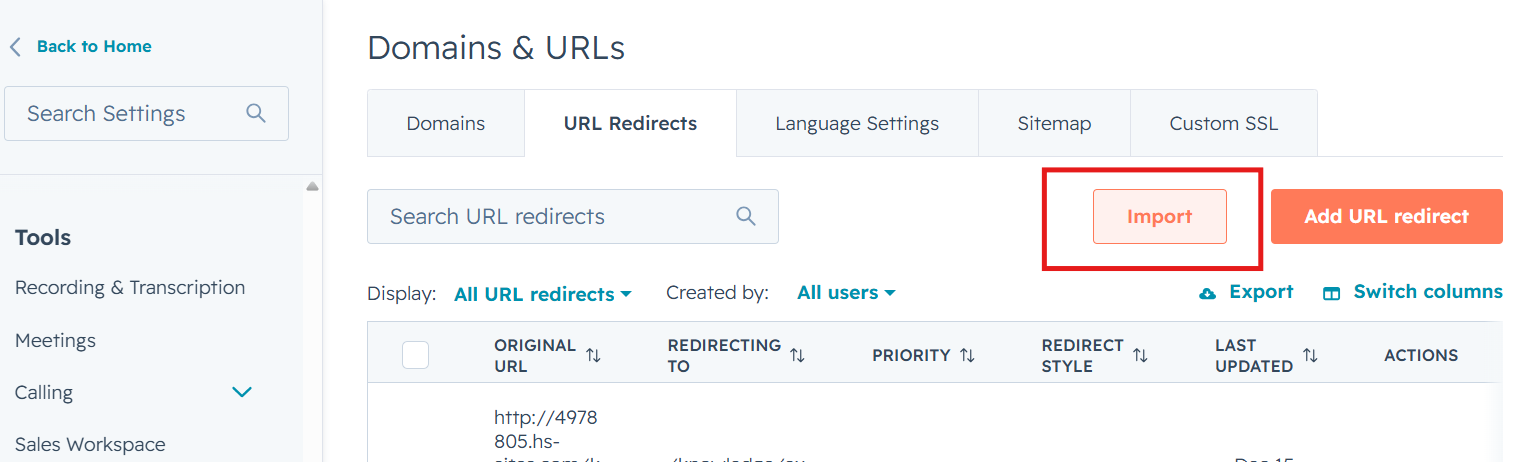
Settings → Content → Domains & URLs → URL Redirects
Click Import in the upper-right corner.
Step 3: Upload your CSV
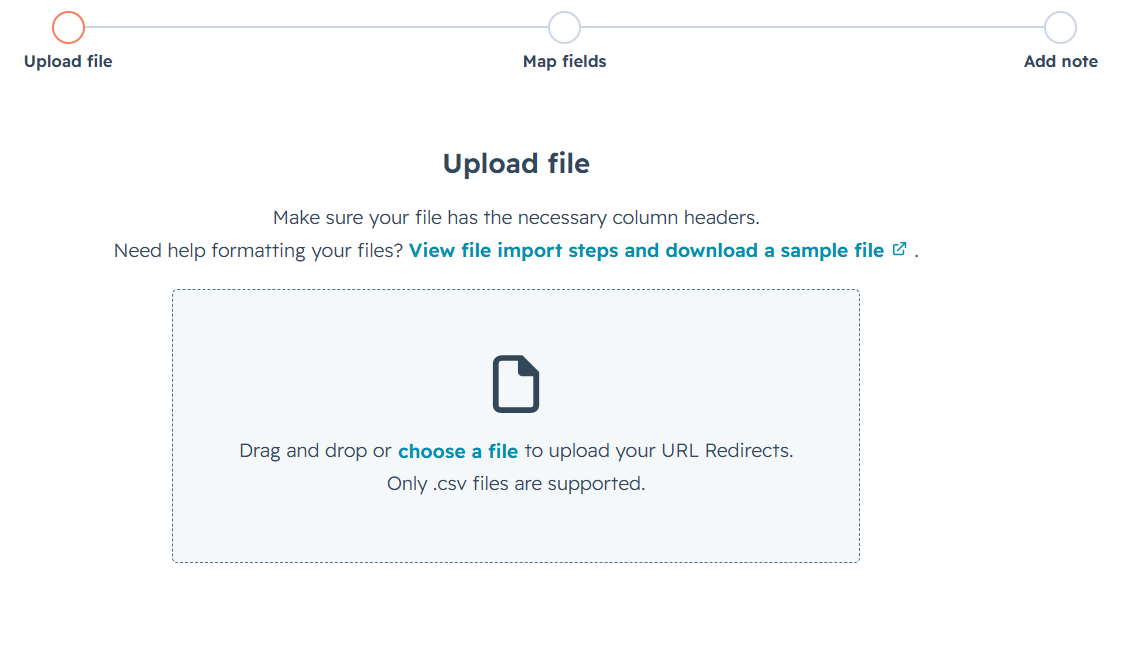
Choose your CSV file or drag and drop it into the upload window.
Click Next to continue.
Step 4: Review the field mapping
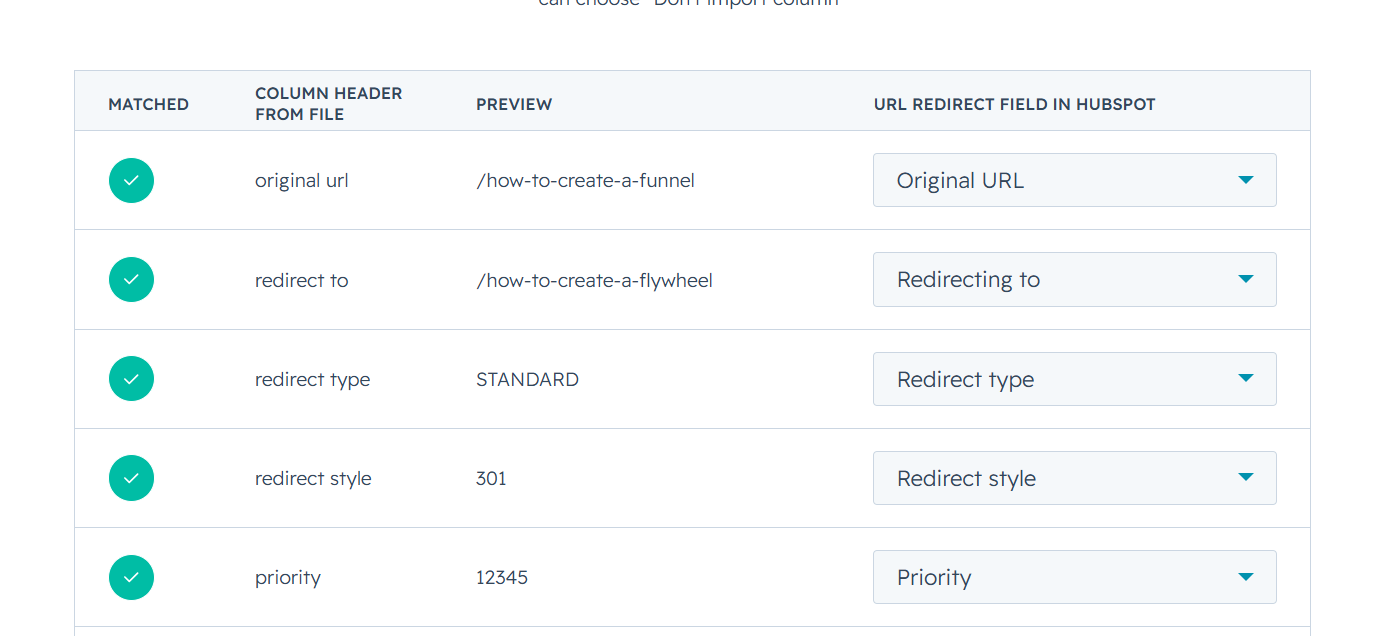
HubSpot automatically maps the columns in your spreadsheet to the appropriate redirect fields.
Double-check that each column is mapped correctly before continuing.
If you're updating redirects that already exist, you can select Overwrite existing redirects with same original URL to replace the current mappings.
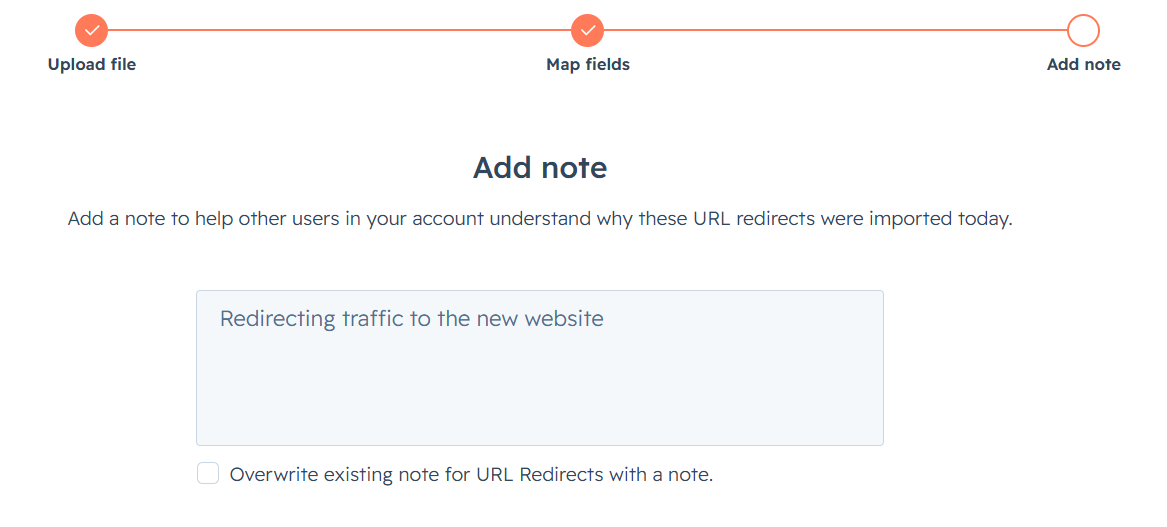
Step 5: Add an import note
HubSpot gives you the option to add a note describing why these redirects are being imported.
This is optional, but it's helpful when multiple people manage the website or when you need to review redirect changes later.
If you're replacing existing notes, you can also choose to overwrite them during the import.
Step 6: Complete the import
Click Import to create your redirects.
Once the import finishes, your redirects will appear in the URL Redirects table.
If HubSpot detects any problems with the file, the import won't complete. Instead, you'll receive an error report in your notifications that you can download, fix, and re-upload.
Things to keep in mind
Before importing redirects, there are a few limitations worth knowing:
- You can import up to 500 redirects per CSV file.
- URLs in bulk imports are limited to 140 characters.
- URL redirects only work for domains hosted in HubSpot. If your website is hosted elsewhere, redirects must be configured with your hosting provider, server, CDN, or another platform that handles redirects.
Final thoughts
Bulk importing redirects can save hours during a website migration or content cleanup. Instead of creating redirects one by one, you can prepare a spreadsheet, upload it in a few minutes, and let HubSpot handle the rest.
For larger migrations, it's still worth reviewing your redirect mapping beforehand to ensure important pages, backlinks, and high-traffic URLs point to the most relevant destination.
Share this

How to bulk delete (or clean up) blog posts in HubSpot

Avoid Apple Service Fees on iOS Facebook & Instagram Apps - How To