For the past twelve months, I've been working with a few different AI visibility tools to track how visible our clients are in AI answer engines, such as ChatGPT, Perplexity, and Google AI Overviews.
Each of these tools requires time to set up correctly, and most of that time is dedicated to deciding which prompts you want to track.
Before you can decide which prompts to track, you will naturally ask yourself: "how many prompts should I track?"
For tracking AI visibility I recommend tracking 10–25 prompts to start.
However, there are exceptions. For brands with complex product mixes and different reporting needs, I recommend tracking AI visibility with 150–200 prompts. Continue reading to find out which group you're in.
Different prompt tracking ("AI visibility") tools have different philosophies on how many prompts you should track. Here are a few of the tools I use and how they approach the prompt count question.
AI Trust Signals is an AI visibility tool co-founded by Marcus Sheridan.
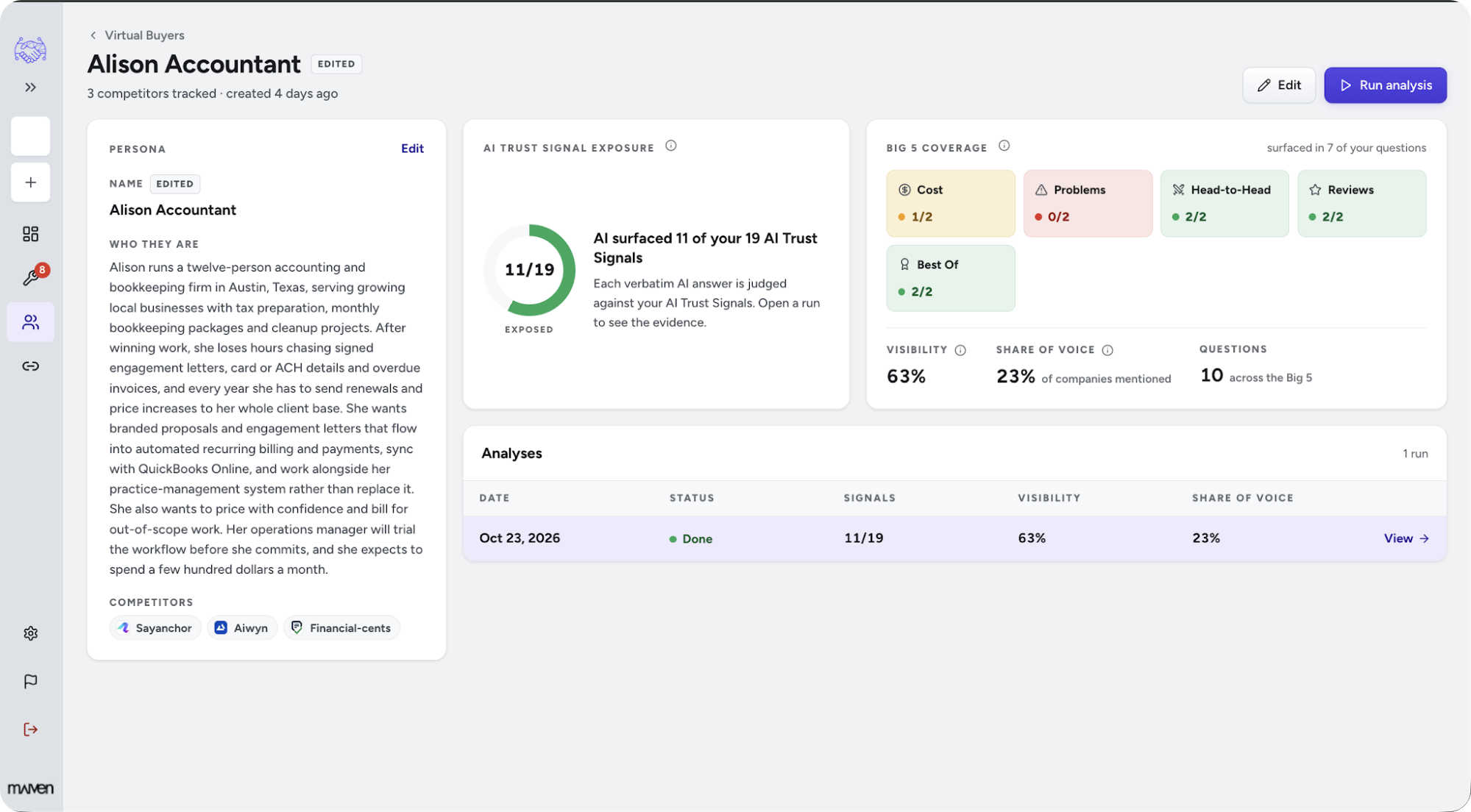
To start tracking prompts in AI Trust Signals, the first step is to set up a virtual buyer, which represents a persona of your ideal customer. AI Trust Signals lets you track up to five virtual buyers per company.
For each virtual buyer, you can track two prompts for each of the Big 5 question topics from the They Ask, You Answer methodology (now called Endless Customers):
That adds up to 10 prompts per virtual buyer, and 50 prompts total (split across the five virtual buyers).
In my experience, most brands don't model more than three personas and therefore are likely to track 10–30 prompts if they use AI Trust Signals as their prompt tracking tool of choice.
Many software companies have two buyer personas, and sometimes a third:
Primary buyer: the end user, or the manager of the department that uses the software
Economic buyer: someone in finance or procurement
IT buyer (occasionally): someone who vets the software for security and privacy
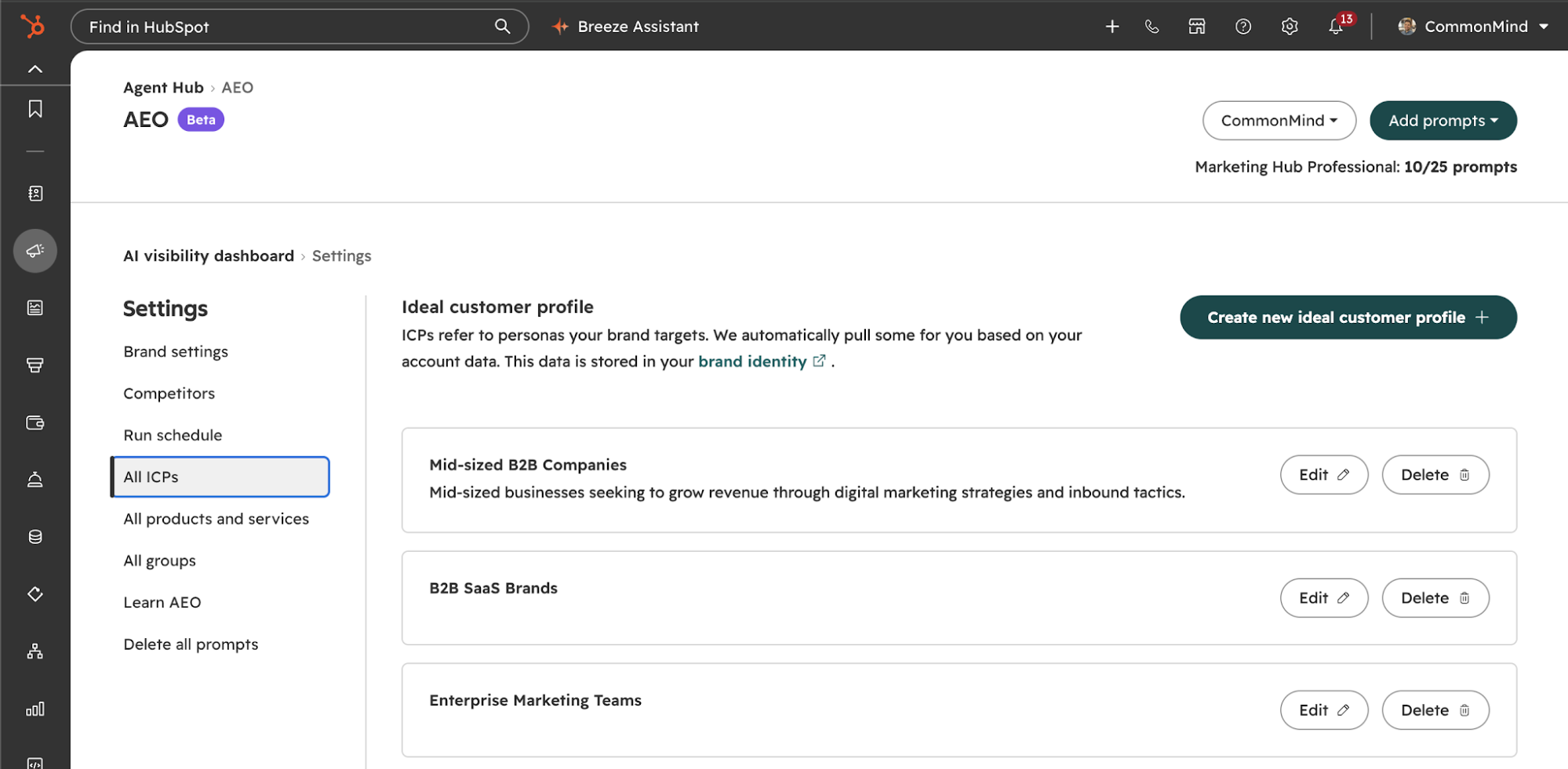
HubSpot's AEO tool approaches prompt organization in a similar manner to AI Trust Signals. Before specifying which prompts to track, you configure one or more Ideal Customer Profiles (ICPs).
ICPs in HubSpot are the equivalent of virtual buyers in AI Trust Signals. Each ICP refers to a persona your brand targets.
Both tools can also suggest which ICPs (virtual buyers) are important for your business. In HubSpot's case, its suggestion is based on data in your HubSpot CRM.
Unlike AI Trust Signals, HubSpot doesn't put a hard limit on the number of ICPs you can track or the number of prompts you can track per ICP. The HubSpot AEO tool limits you to a total of 25 prompts, which you can split however you'd like across your ICPs. You can also purchase additional slots for $20 per 10 prompts ($2/prompt/month).
Visto, an AI visibility platform for marketing teams and agencies, has a different philosophy when it comes to organizing prompts and the number of prompts you should track.
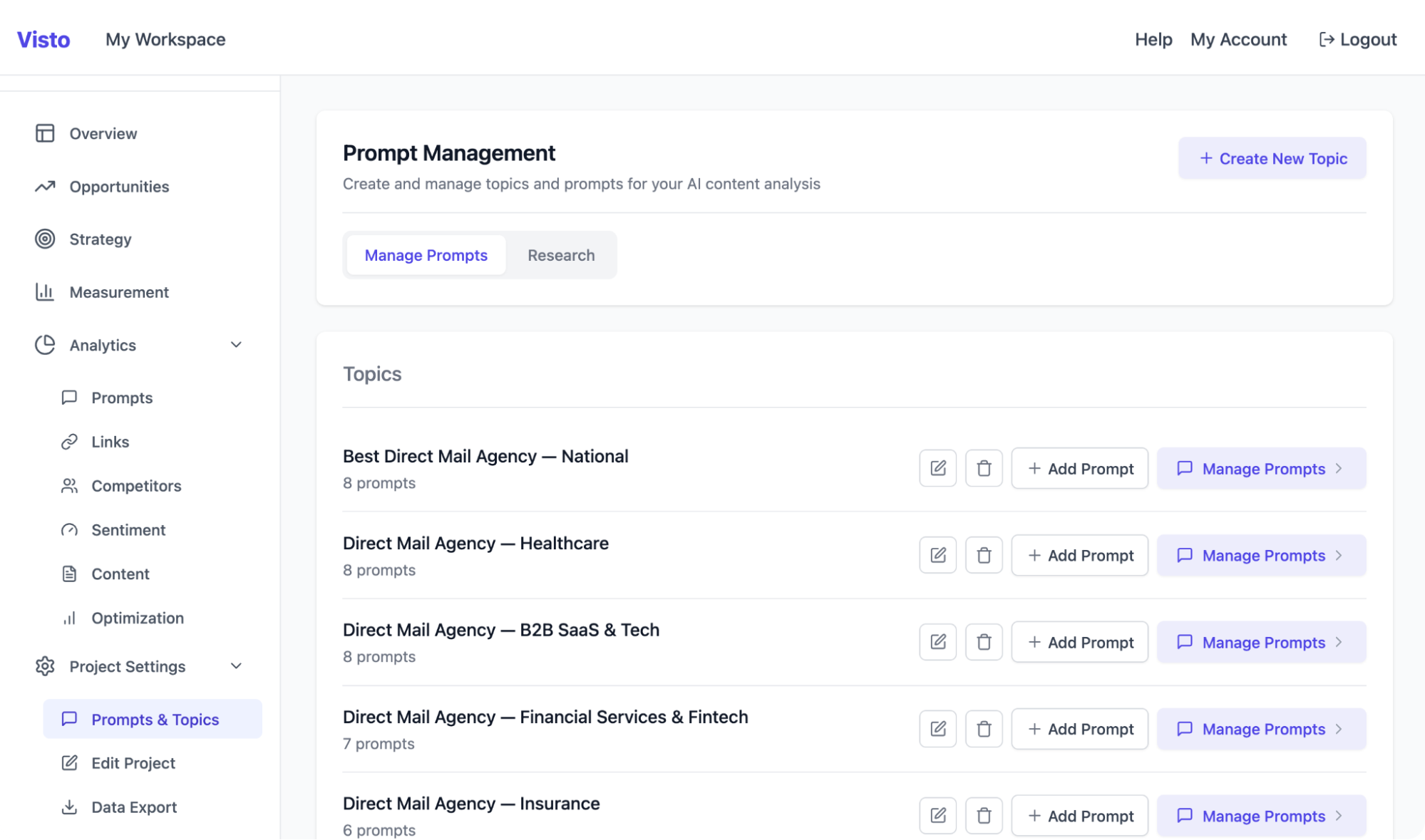
Rather than organize prompts by buyer persona, Visto organizes your prompts by topic.
In Visto, a topic is a high-level category you define. When I manage AI visibility for clients with the help of Visto, I use topics to group similar prompts by theme. For example, in the screenshot above, I'm tracking different sets of prompts based on whether the user is looking for a national direct mail agency or one with specific industry experience, with a separate topic for each industry.
Because Visto isn't prescriptive about how you use topics, you can certainly create a separate topic for each of your buying personas or ICPs if you like that method of organization but prefer some of Visto's other features, or you could have a few topics based on ICPs and others that track topics spanning multiple ICPs.
Visto also has a different philosophy when it comes to the quantity of prompts you should track, recommending upwards of 200 prompts.
Visto's perspective is that by tracking a larger number of prompts, you can better account for variations in how users enter prompts and how LLMs respond.
In practice, I'm tracking an average of 179 prompts per client for each of five clients I have configured in Visto, with an average of 7 prompts per topic.
The advantages of tracking a large prompt set, as per the Visto philosophy, are two-fold:
With a larger prompt set, you gain an understanding of whether LLMs are surfacing your brand and/or website across a broad array of topics that are relevant to your business.
LLM responses are non-deterministic, meaning the answer to the same prompt can vary from one run to the next, even for the same user. This is due to the built-in randomness of how LLMs determine each word in an answer.
By having a large number of prompts, a natural fluctuation in the answer given for one prompt has a smaller impact on your overall visibility score because that one prompt is a smaller percentage of your score than it would be if you were tracking fewer prompts.
The pros of tracking a smaller prompt set come down to simplicity and actionability.
Tracking a small set of prompts, e.g. 25 per HubSpot AEO's default or 10 per virtual buyer following AI Trust Signals' structure, makes it easier to determine which prompts to track and review the resulting reporting.
When planning which prompts you want to track, once you exceed about 50 prompts, you're in store for a tedious exercise. Yes, you have better coverage, but you need to be careful to avoid over or under-emphasizing an area important to your business.
With a large number of prompts, it's easy for irrelevant prompts or poorly worded prompts to slip in. All the tools we've discussed will recommend which prompts to track, but I always prefer to write my own prompts or carefully edit a tool's suggestions.
If you're focused on tracking 10–25 prompts, it's pretty straightforward to come up with a set that is highly relevant to your business.
When tracking a small set of prompts, you can take more time per-prompt to examine the results and decide if you want to take action to improve your visibility or how your brand is being mentioned.
Of course, the con of measuring AI visibility based on a small set of prompts is that random fluctuations in responses will have a greater impact on your top-line visibility score, which can cause a panic until you dive deeper and investigate. You also lose insights into a broader pool of topics.
My bottom line answer for most brands is to start tracking AI visibility with a small set of prompts (10–25) that you can pay attention to and take action on.
For larger brands, or brands with a variety of different products, services, or target customer types, tracking a large set of prompts (150–200) will be necessary.
I don't worry too much about week-to-week fluctuations in visibility scores. I want the score to alert me to a possible problem and the tool to make it easy for me to diagnose the problem and determine whether it's a real issue I should take action on or a temporary change.
If you'd like to discuss how to plan the library of prompts you want to track, please reach out to me or sign up for our free AI visibility snapshot.